If you have an Alfa Romeo car, please do not miss this guide. Replacing your Alfa Romeo Giulietta radio is a common task, whether it is for an upgrade, because the unit is damaged, or simply because you need to access the wiring behind it. The process is straightforward, and this guide will walk you through the necessary steps.
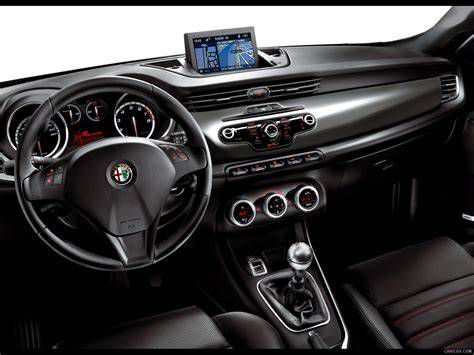
Preparation and Removal Process
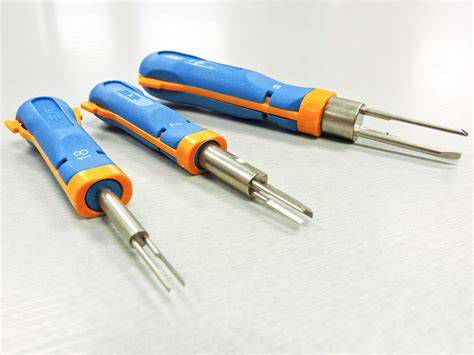
In a first step, to remove your Alfa Romeo Giulietta radio, you will need to equip yourself with pliers or an extractor to pull the unit out. The radio unlocks simply by placing the tool in the hole provided for this purpose. If you do not have a specialized tool, you can buy a radio extraction key or use two thin metal or plastic blades, sliding them into the sides of the radio.
Once you have inserted your tools, maintain pressure on the sides while pulling the radio toward you. Once the radio is pulled out of its housing, it must be disconnected. First, identify the antenna connector, which is a circular plug, and unplug it. Next, release the hooks on both sides to disconnect the main radio harness. Your Alfa Romeo Giulietta radio is now fully uninstalled.
Installing a New Head Unit
Installing a new radio in your Alfa Romeo Giulietta is just as simple as removing it. If you are replacing the factory unit, ensure that the new device is compatible with the dashboard housing. Regarding the installation, connect the antenna and the power connector before placing the radio into its slot. Push the new device into the back of its housing until you feel the clips lock into place.
Upgrading Your Audio System
You can choose from various options to modernize your vehicle's audio system:
- Option 1: Install a single-din car radio with a single-din fascia kit. All single-din radios will fit; just choose the one you like.
- Option 2: Install double-din stereos with a double-din fascia kit. All double-din radios will fit; just choose the one you like.
Whatever radio you choose, you will need a steering wheel interface for your car to maintain steering wheel control functions. If you are interested in a specific Android car radio and cannot ensure which one fits your vehicle, always check the compatibility of the fascia kit.
Alfa Romeo Giulietta 2017 Type 940 – Head Unit Removal Step-by-Step | DIY Stereo Replacement
Technical Specifications and Documentation
For those looking for official technical details, there is a dedicated user manual for the Alfa Romeo Giulietta Uconnect Radio Nav system. Note that such manuals are specific to the vehicle's chassis number, ensuring that you receive the correct documentation for your specific hardware version.
| Component | Requirements/Note |
|---|---|
| Fascia Kit | Required for seamless aesthetic fitment (Single or Double Din) |
| Steering Interface | Necessary for maintaining steering wheel button functionality |
| Removal Tool | Extraction keys or thin metal blades |
By following these steps, you can successfully repair or upgrade your audio system, ensuring a high-quality listening experience in your Alfa Romeo.